

Role-based access ensured 100% compliant blueprint management
100%
ClevBuild
Client
ClevBuild
ClevBuild Offers Exceptional Home Construction Services
Industry
Construction Technology
Engagement
CAD Integration + Workflow Optimization
Region
North America
Duration
Ongoing
For fire protection contractors handling major installations, the hardest part has always been bridging the difference between the original design and the on-site reality.
Engineers rely on complex DWG files, while technicians need actionable on-site instructions. Trying to connect those two worlds manually causes errors and endless back-and-forth. That’s exactly why we built ClevBuild.
Before ClevBuild, converting fire safety blueprints into field tasks was entirely manual. Technicians extracted pipe and sprinkler data from DWG files by hand. Rather than solving the problem, it started introducing new errors that only surfaced once work was underway.
In fact, teams mainly operate in silos, with no shared system to keep installation goals aligned. All they required was a centralized dashboard or proper access controls.
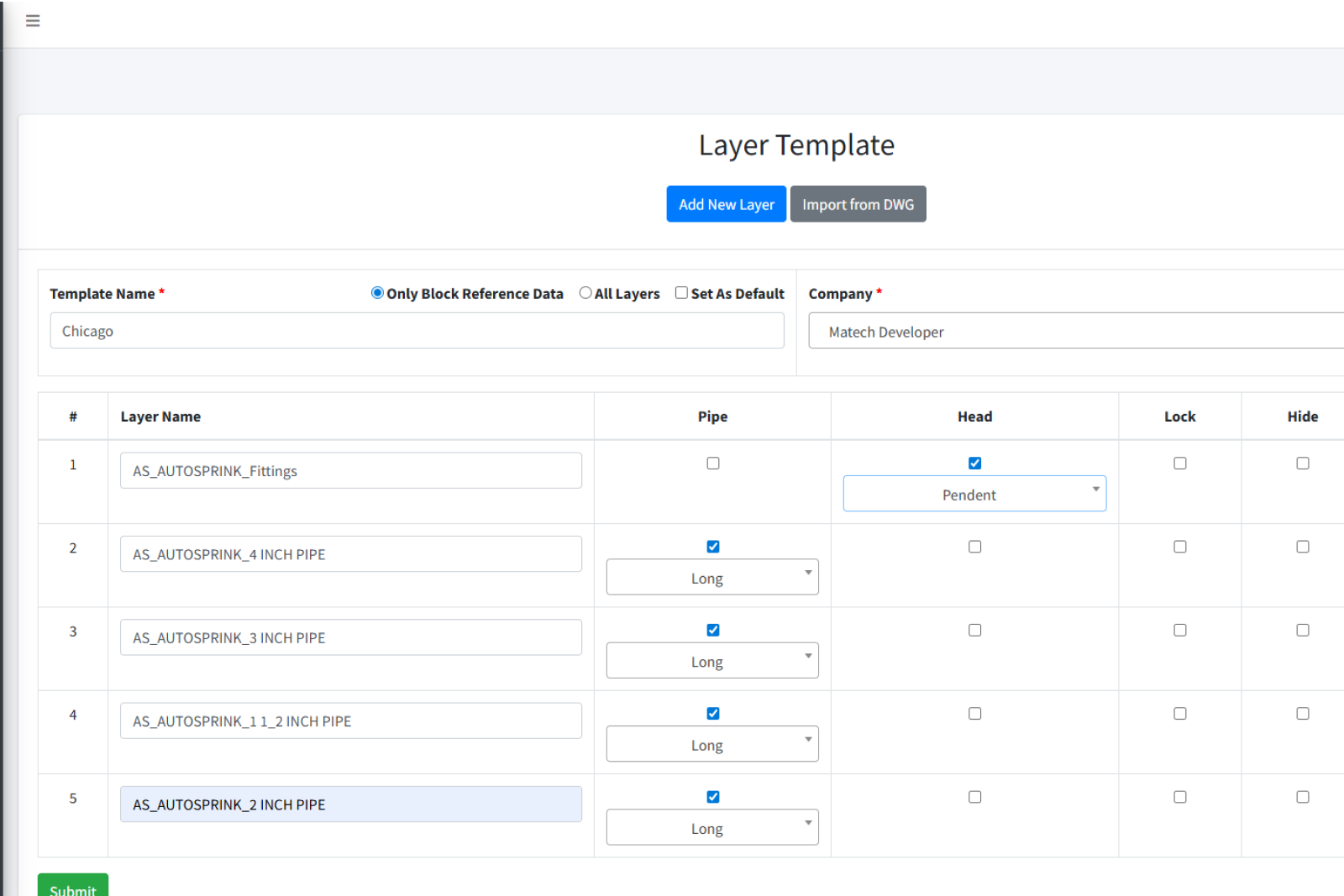
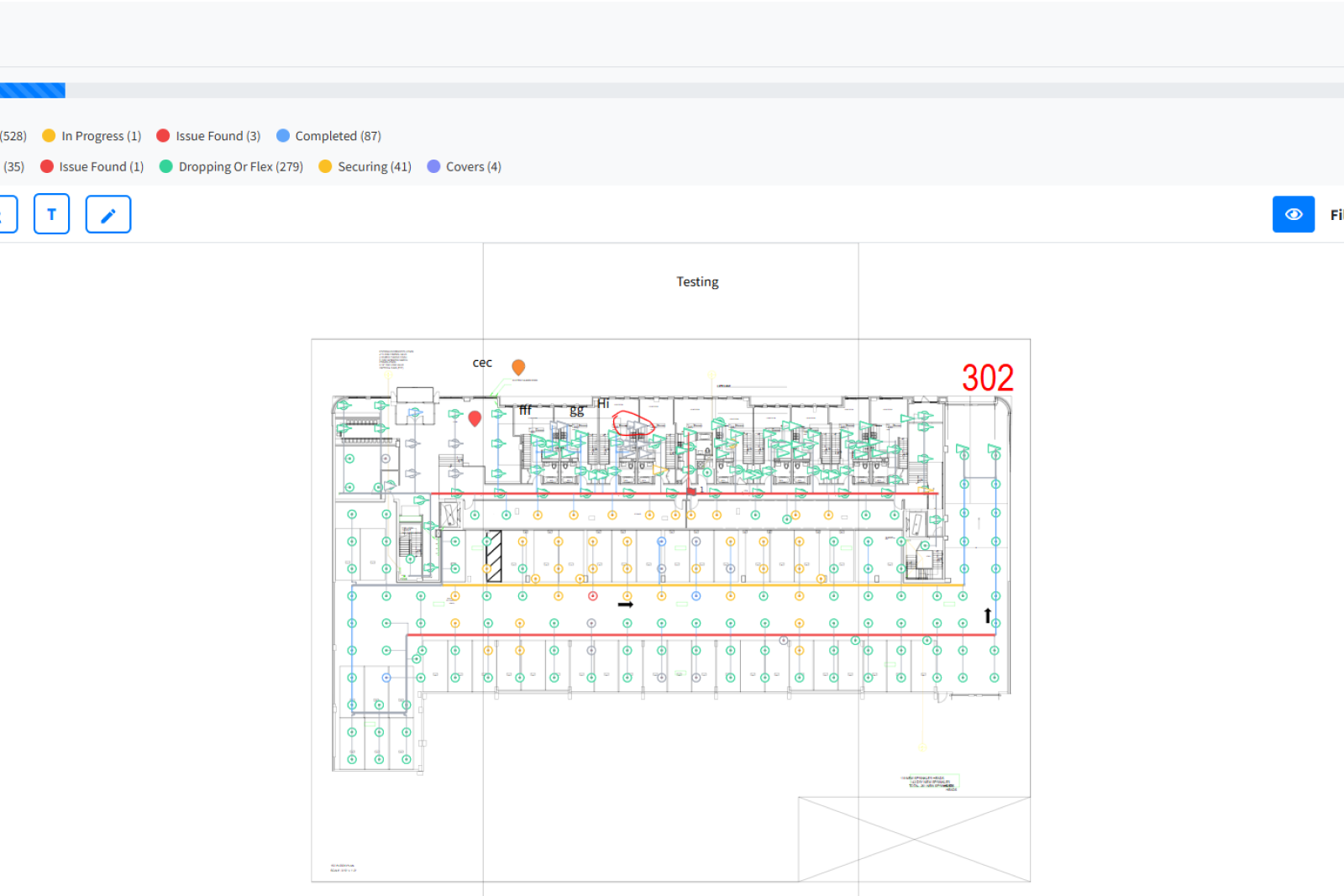

ClevBuild delivers a fully automated pipeline that takes a DWG blueprint and turns it into structured, executable field tasks with minimal human intervention.
Using CADViewer, uploaded files are converted into SVG format, with JSON layer data extracted and mapped directly to pipe and sprinkler installation zones. Engineers define layer templates that align with task categories, and the automation engine handles assignments from there, using real blueprint coordinates to direct field work accurately.
On mobile, Flutter renders SVG highlights over the blueprint so technicians can see exactly which zones are theirs and mark progress in real time. A centralized dashboard aggregates that field data into floor-level completion views, broken down weekly and monthly for project managers.
Role-based access ensures companies and managers only interact with the data and controls relevant to their role, keeping sensitive blueprints secure and permissions clean across every project site.
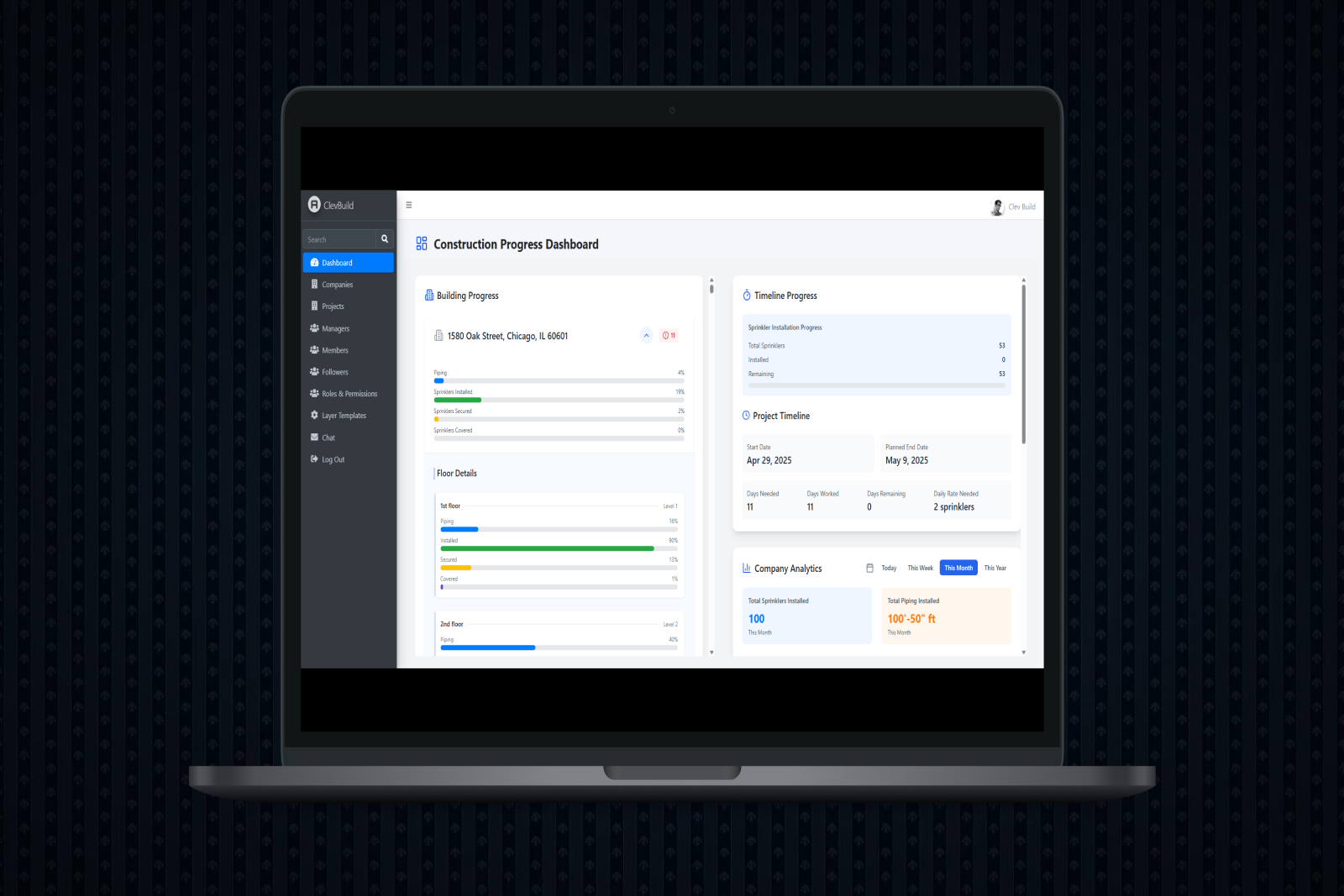
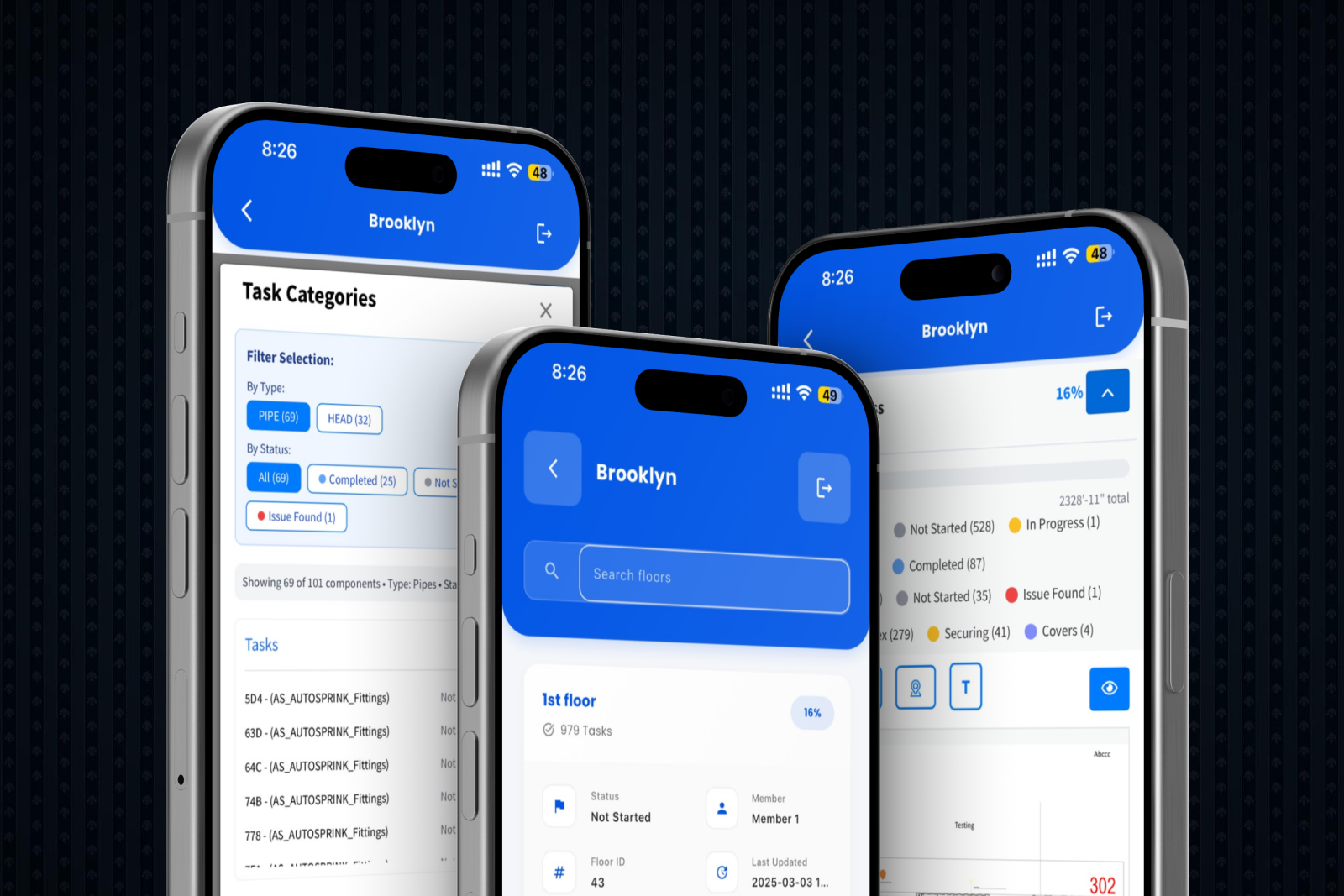
Role-based access ensured 100% compliant blueprint management
Real-time mobile updates improved field team alignment by 60%
Manual mapping errors dropped to 0% across all project sites
Automated blueprint conversion reduced field execution time by 40%